

For inspection and maintenance contractors
Find it quicker.Inspect it faster.Bill it the same day.
The whole job, on the drawing.
JobSat puts every asset your techs look after on the building's own drawing. They walk straight to it, inspect it, photograph it and move on, even where there's no signal. Findings become quotes, and finished work becomes invoices and reports, with your office reviewing instead of retyping.
For iPhone, Android and the web. In private beta with fire damper and life safety contractors.
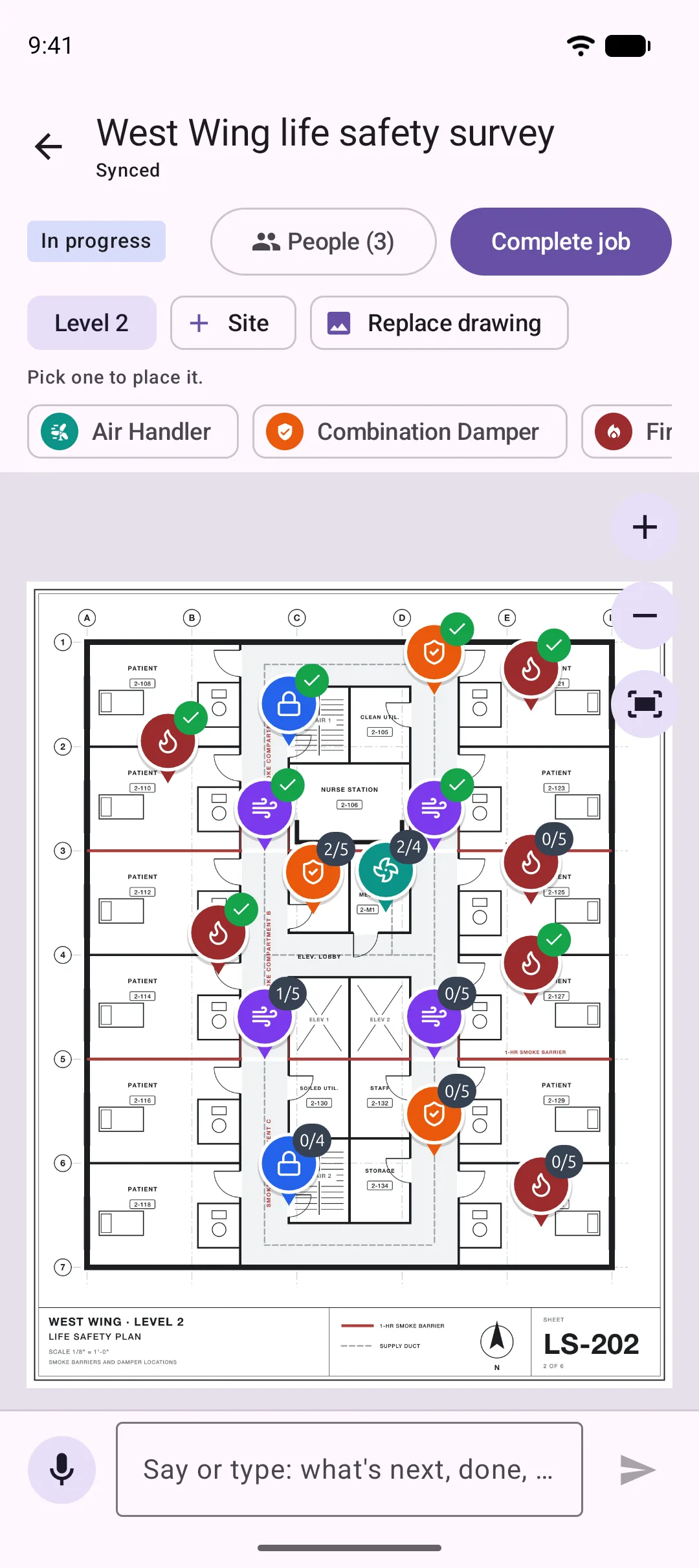
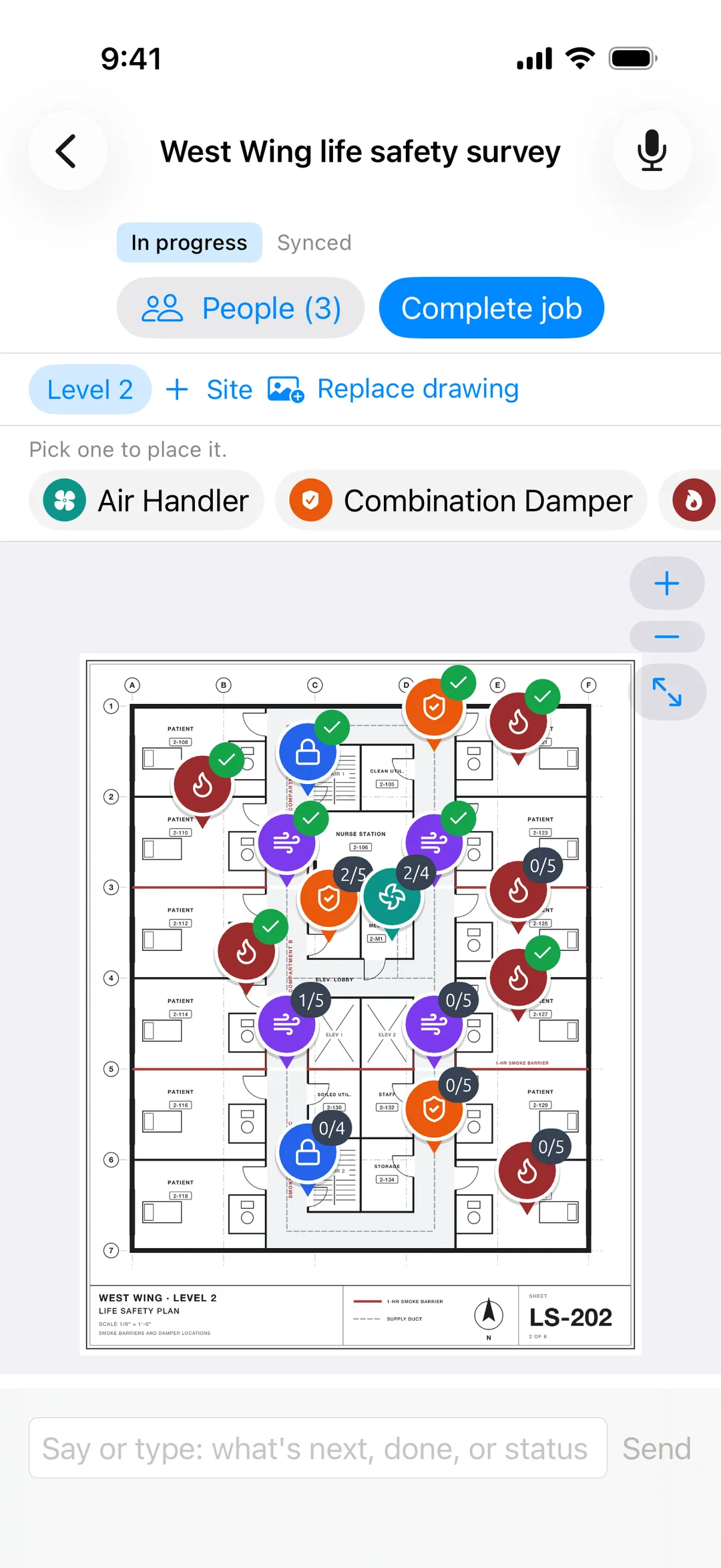
Walk straight to it.
No hunting ceiling tiles from a spreadsheet.
Inspect it once.
Photos, readings and notes land on the asset.
Bill it today.
Reports and invoices drafted for you to review.
How it works
From drawing to paid
- 01
Put the drawing in
A PDF with a page per sheet, or a photo of the plan. It opens at once on every phone, however large it is.
- 02
Place every asset
Pick a template (fire damper, smoke damper, fire door, air handler) and tap where it is. JobSat suggests locations from the drawing.
- 03
Inspect on site
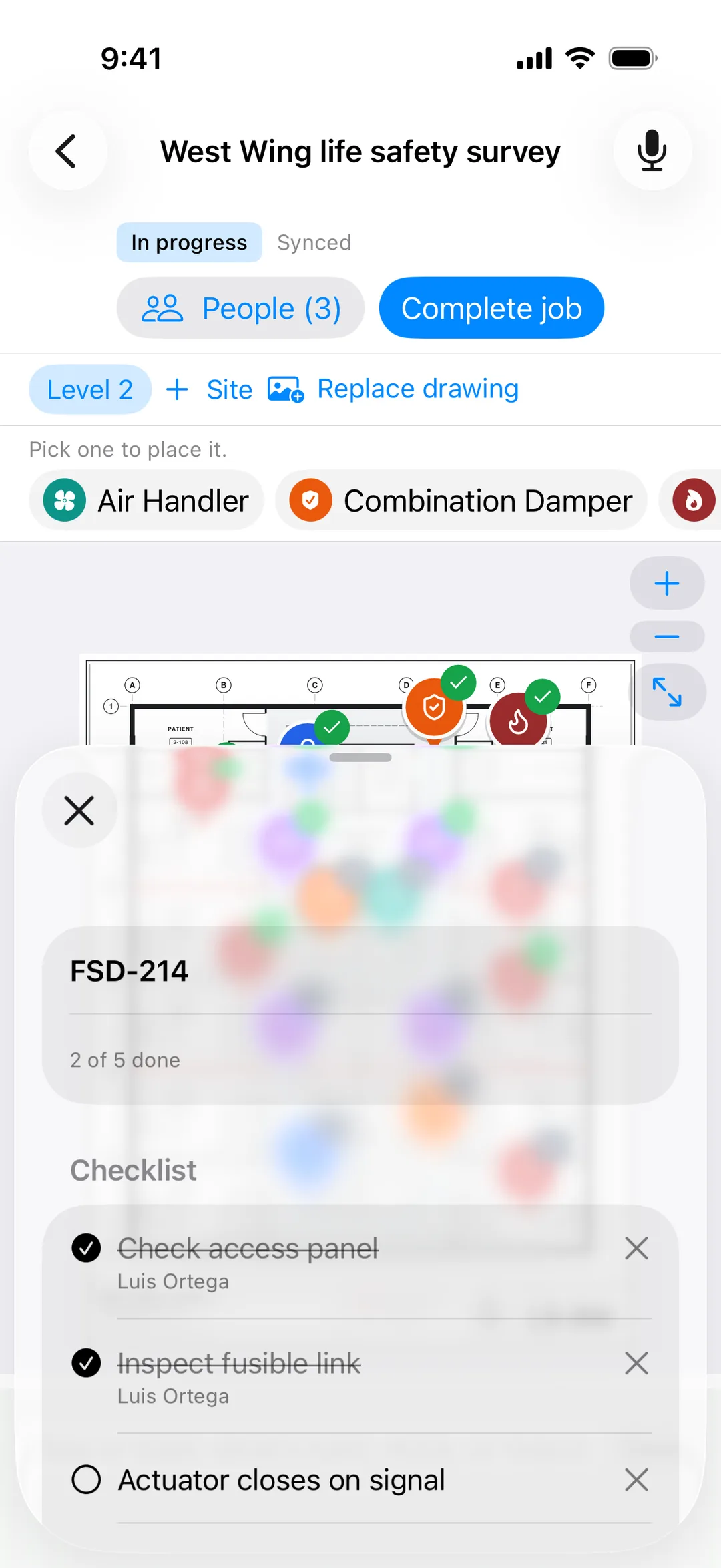
Open a pin, run the checklist, take photos and say what you found. Everyone on the job sees it the moment it happens.
- 04
Turn findings into work
A failed damper becomes a deficiency, then a quote to approve, then a repair your tech retests on the same pin.
- 05
Bill and report
JobSat drafts the invoice and the customer report from what was done on site. Your office reviews and sends.
For the tech
More inspections per tech, per day
Most of an inspection day isn't inspecting. It's finding the thing, writing it down, and redoing it at the office. JobSat cuts all three.
No hunting.
Every asset is a pin on the drawing, so techs walk straight to it, including the one above the third ceiling tile in the corridor.
No double entry.
Photos, readings and notes go on the asset once, in the field.
Hands-free when hands are full.
Up a ladder? Tell the job what you found, and JobSat writes it down against the right asset.
No waiting on signal.
Plant rooms, basements and shafts work the same as the lobby.
The whole crew on one plan.
Split a floor between three techs and watch it fill in live.
iPhone 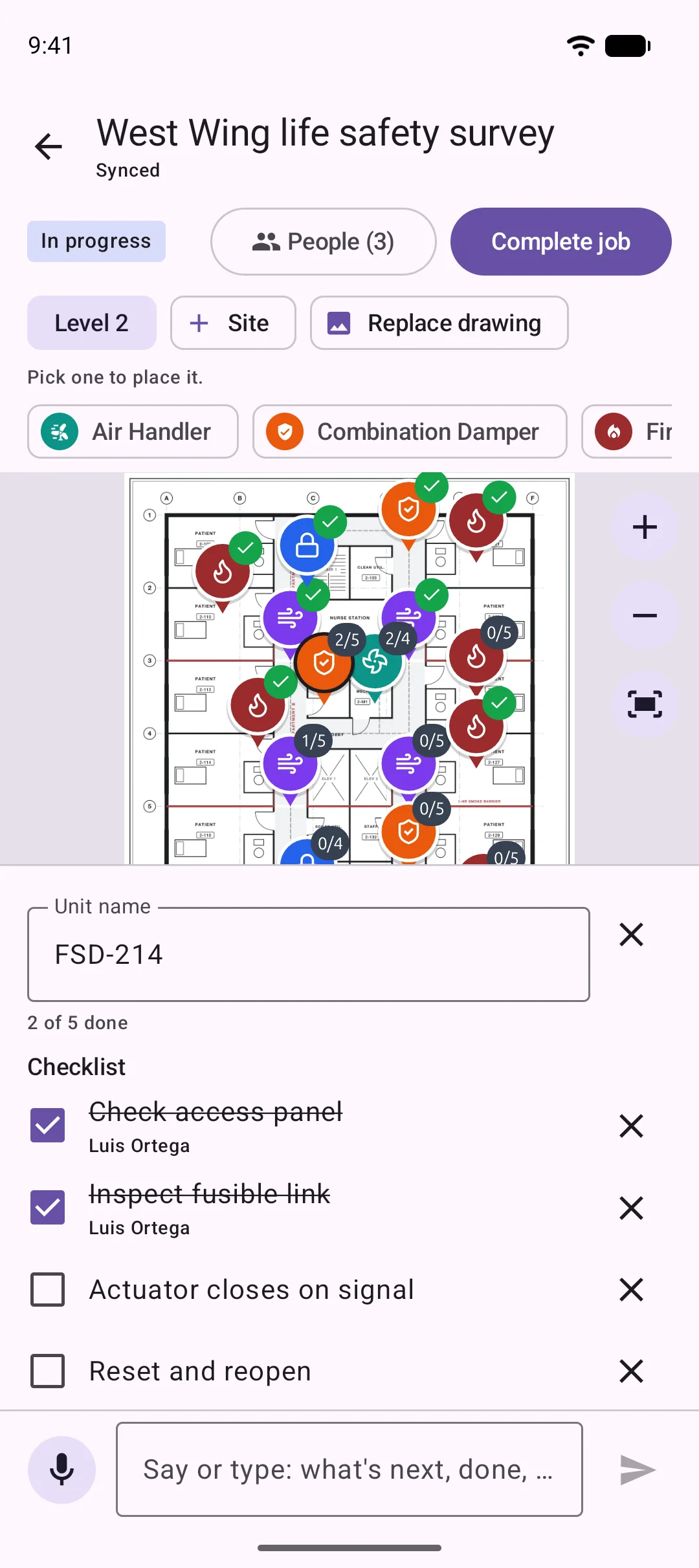
Android 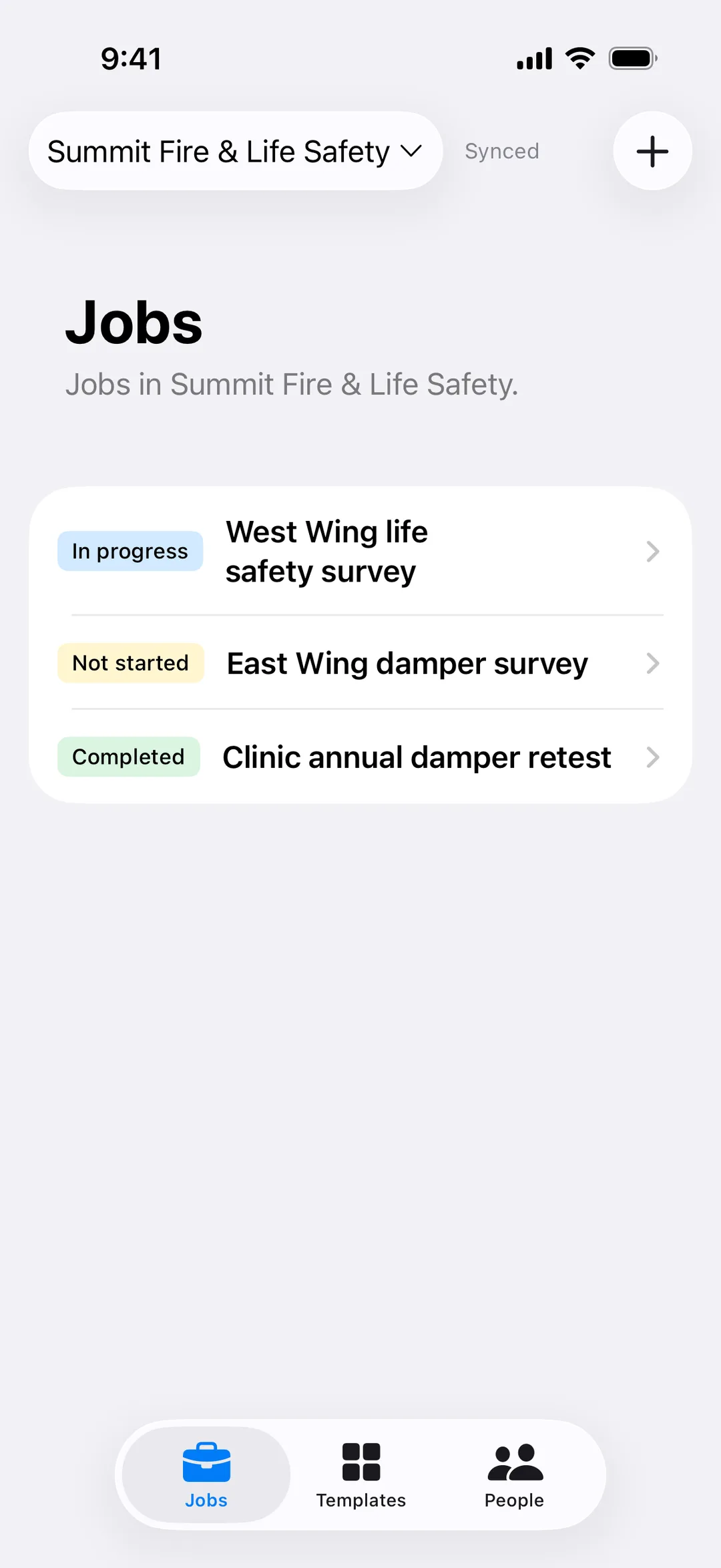
iPhone 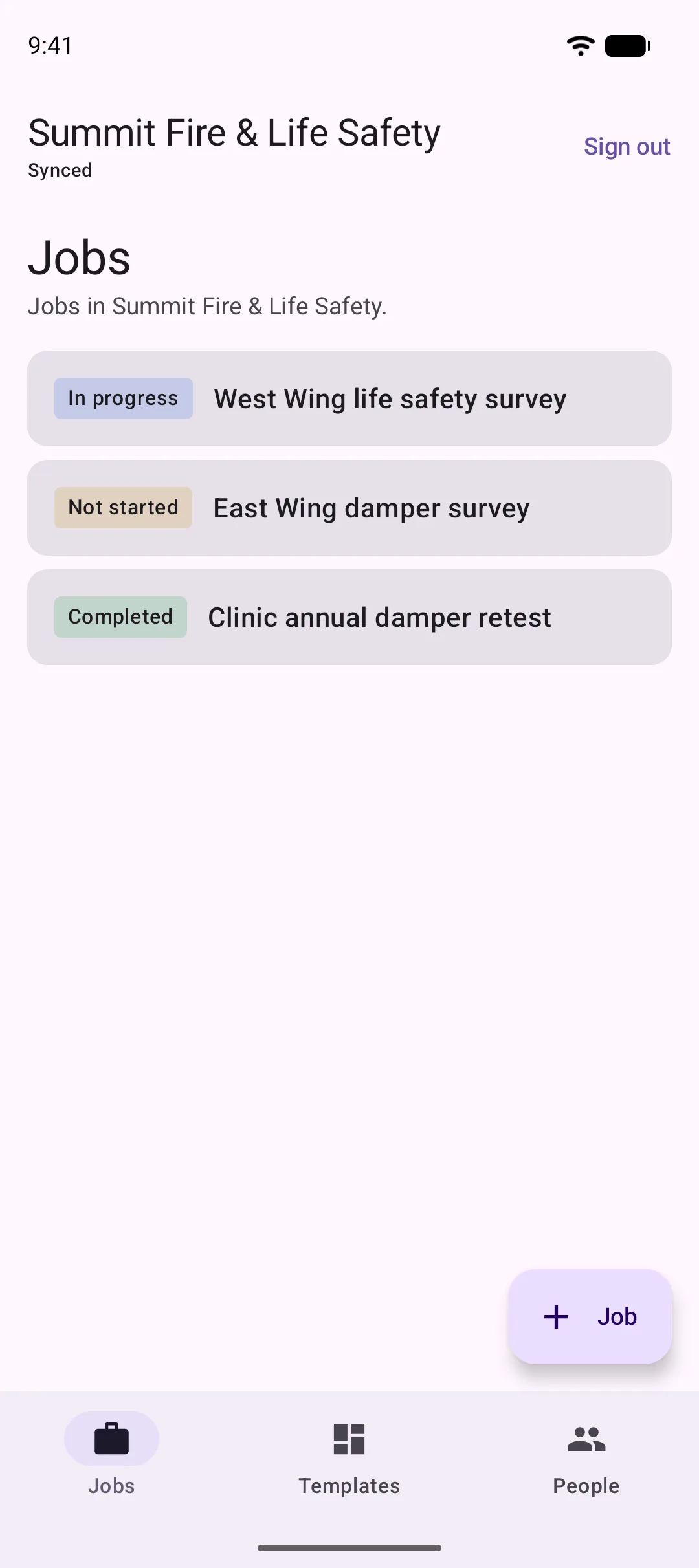
Android
For the office
From finding to invoice, without the paperwork
The longer a repair sits between the inspection and the proposal, the less likely it gets approved. JobSat moves it the same day.
- Inspection
- Deficiency
- Quote
- Approved
- Repair + retest
- Invoice + report
Deficiencies write themselves
Failed items become deficiencies with photos, location and notes already attached.
Quotes in minutes
Turn a deficiency into a quote your customer can approve from their phone.
Invoices drafted from the work
Labor, parts and what was done, pulled from the job. Your office reviews; nobody retypes.
Reports your customer wants
Every asset on the plan, pass or fail, photos and history, ready to hand to an inspector.
Works with your books
Invoices sync to QuickBooks, so nothing gets entered twice.
A person always signs off
AI drafts the paperwork. Your team checks it and hits send.
Fire and smoke dampers
Fire and smoke damper surveys, done right the first time
Damper surveys depend on location. Owners need every damper shown on the drawing, tested, photographed and on the record. A survey that leaves dampers missing or unfindable isn't finished.
Every damper on the life safety drawing, including the inaccessible ones, with the reason noted.
Open and closed photos on every damper, every cycle.
Fire, smoke and combination damper checklists built around NFPA 80 and NFPA 105.
Unknown dampers found? Drop a pin, and it joins the inventory and the quote.
History on every damper: each inspection, repair and retest in one place.
Ready for survey day: a report by building, floor and smoke compartment, ready for The Joint Commission or the fire marshal.
Fire doors, air handlers and the rest of the building next, on the same drawings.
Damper survey report
Example hospital · West Wing · Level 2
- 52
- Passed
- 4
- Deficiencies
- 2
- Inaccessible
| ID | Type | Location | Result |
|---|---|---|---|
| FD-201 | Fire | Corridor B, above 2‑114 | Passed |
| SD-207 | Smoke | Corridor B, at smoke barrier | Passed |
| FSD-214 | Combination | Room 2‑120, ceiling | Failed: actuator |
| FD-219 | Fire | Mech room 2‑M1, duct riser | Inaccessible |
| FD-223 | Fire | Room 2‑131, above door | Passed |
For your customer
Your customers will want this too
Hospitals, campuses and property teams need their life safety records on their drawings, not in a binder. With JobSat, your work becomes their record, and that makes you the contractor they keep.
A live view of their building
Every asset, every inspection, every open item, on their own drawings.
Faster approvals on your quotes
They see the photo and the pin, so there's less back-and-forth before a yes.
Ready on survey day
Their report is always current, so nobody rebuilds a binder the week before an inspector arrives.
Features
Built for the field, and the office behind it
Works without signal
Keep working in a basement plant room. Everything saves on the phone and syncs when you are back online.
Live for everyone
When someone finishes an item, everyone on the job sees it within moments.
Drawings of any size
Multi-page PDFs and huge plans open instantly.
Templates
Set up a kind of asset once, with its icon, color and checklist, and place it on any job.
Talk to the job
Say what you found and JobSat files it against the right asset. Ask what is next and it answers out loud.
Office, field and customer
The office plans and reviews, techs inspect, and customers see results. Each gets the right view.
Maintenance schedules
Set how often each asset is due and see what is coming up across every building.
Deficiency to retest
Finding, quote, repair and retest, all on one pin.
AI for the office work
Reports, quotes and invoices drafted from field data, for a person to review and send.
Asset history
Every photo, reading and inspection on that asset, for as long as you look after it.
Private beta
Put your next survey on JobSat
We're onboarding a few contractors at a time, starting with fire and smoke damper and life safety work. Tell us what you inspect, how many techs you run, and what you use today, and we'll set you up on iPhone, Android and the web.
iPhone (iOS 18 or later) · Android (16 or later) · Any current browser